Hoda Rahimian UX

Radar Pet Tracker

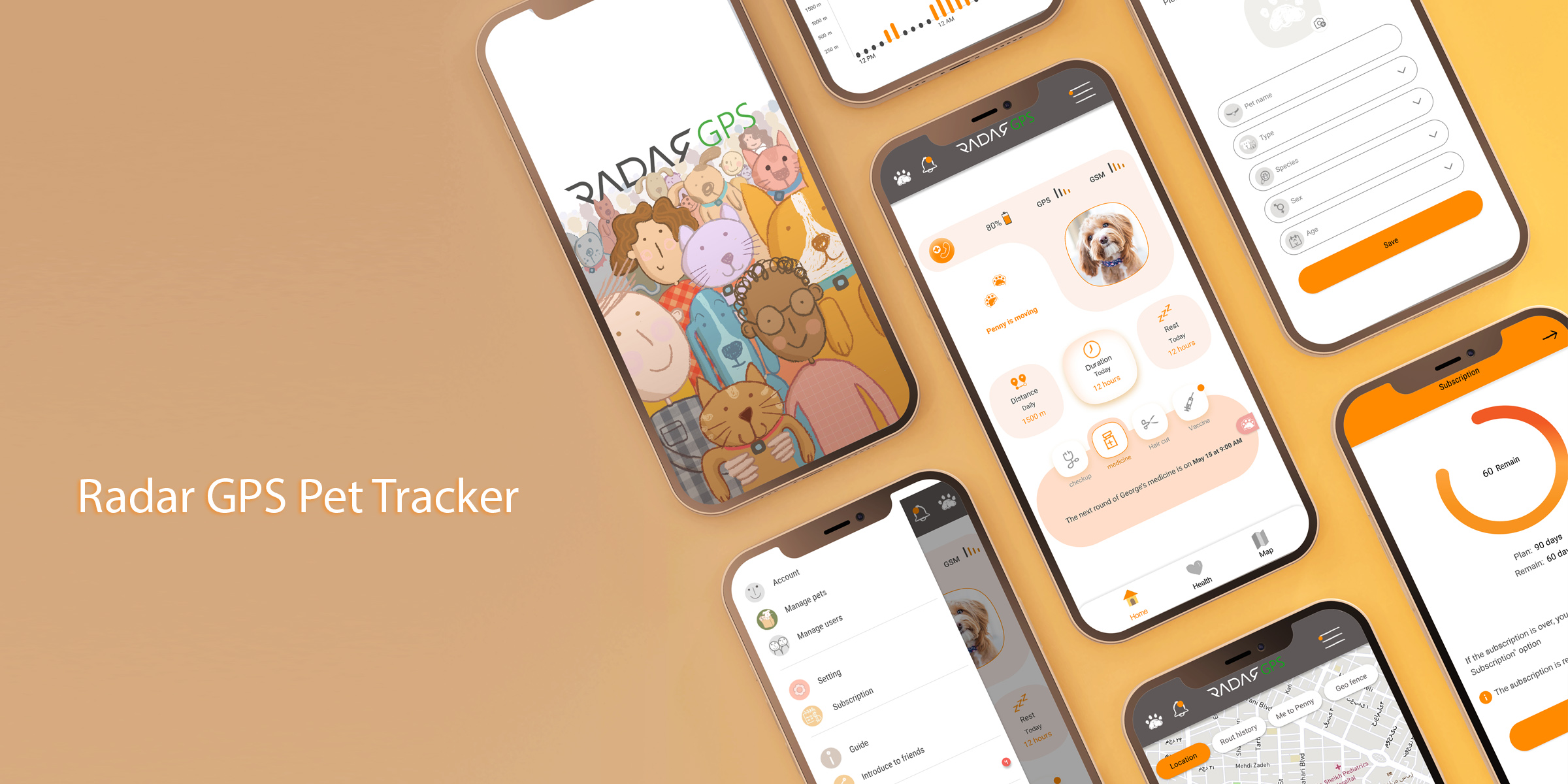
A Pet tracker is a location tracking device worn by house pets. This device allows pet owners to ascertain their pets' precise location at any given time.

Product Strategy:

The Pet tracker was a new device that Radar wanted to add to its trackers. This product consists of two parts, hardware, and application. The hardware attaches to a collar, wraps around a dog's or cat's neck, and connects to the software, showing the owner the pet's location. The software was supposed to use the company's previous software backends, so in the beginning, we had many limitations, documented and categorized in various meetings and interviews with stakeholders. Keeping these limitations in mind, we used the design thinking approach to solve users' problems and shape the product.

The Problems:

Pet owners need service to track their pet location, so they don't lose their pet or in case the pet is not around, they can find it easily.

The Goal:

Designing a tracker application for pet owners to track their pets.

My role:

UX Researcher, UX Designer, UI Designer, Illustator
Responsibilities:

Interview, competitors research, Design and test

Kick off

we started this project with lots of questions: What are users need related to the app features? What are the user's demographics? How does our product help users? What parts does the app consist of? Who is our product for? Why do we want to build this product? What is its value proposition? What are its possible risks? Who are our competitors? We had several meetings with The marketing team and other stakeholders to understand their business goals, strategies, objectives, targets, and critical concerns.

User research

We used a qualitative method to research the users and interviewed different users. To select the interviewees, we tried to find people who take their pet out of the house regularly or whose pet is accustomed to moving around freely outside the home. We interviewed eight people in different cities by phone and in person. We did a competitive audit to explore the market's products and find their strengths and weaknesses for this project.

Persona

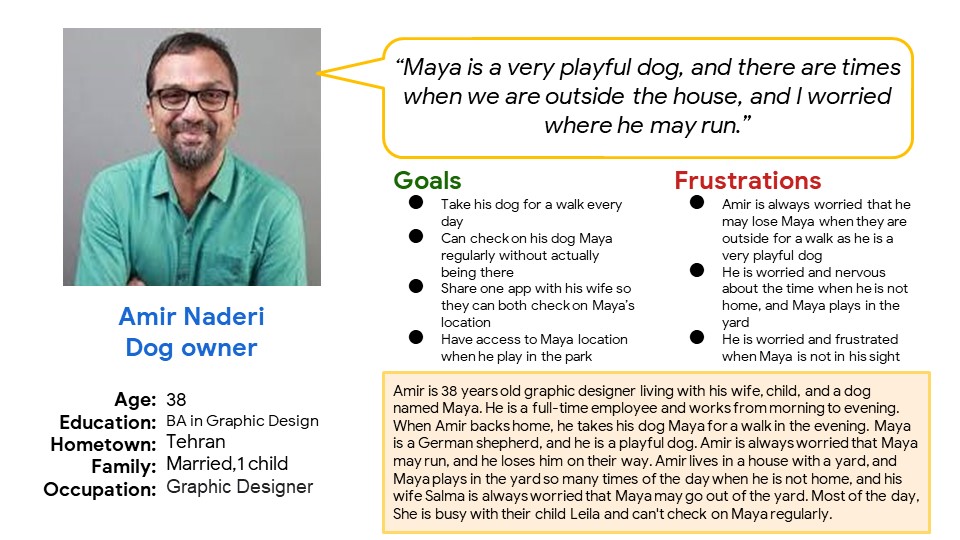
Amir is a Full-time graphic designer  who lives with his wife, child, and a dog named Maya, who needs to have access to the dog’s location in case of running when they are
outside for a walk
because his dog is so playful and may run suddenly, and Amir needs to find her immediately.

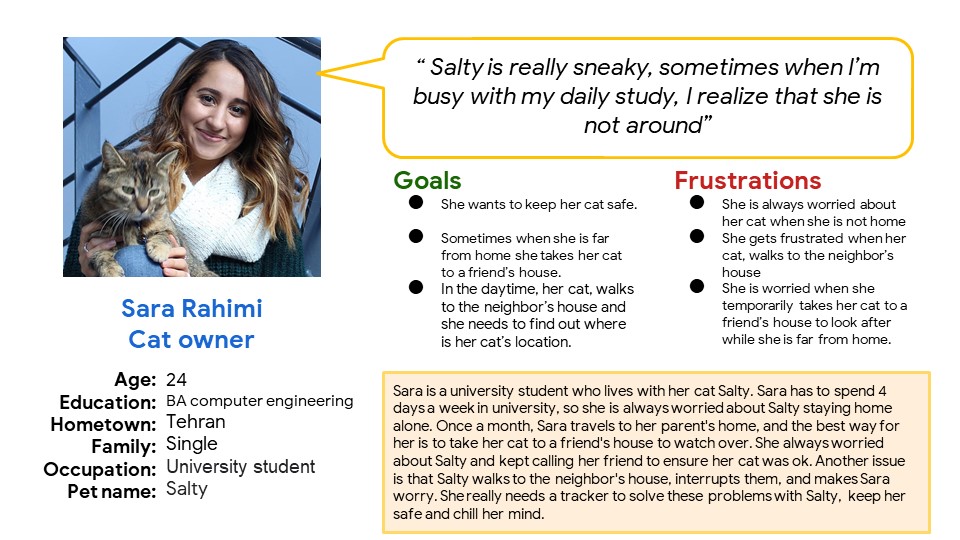
Sara is a university student who needs to keep track of her cat location when she’s not home because she is worried about her cat’s safety, and she loves her cat like a family member.

Competitive analysis

We reviewed many products in the field of pets and trackers to discover their strengths and weaknesses and understand what other features they used in their app besides pet tracking.

Information Architecture

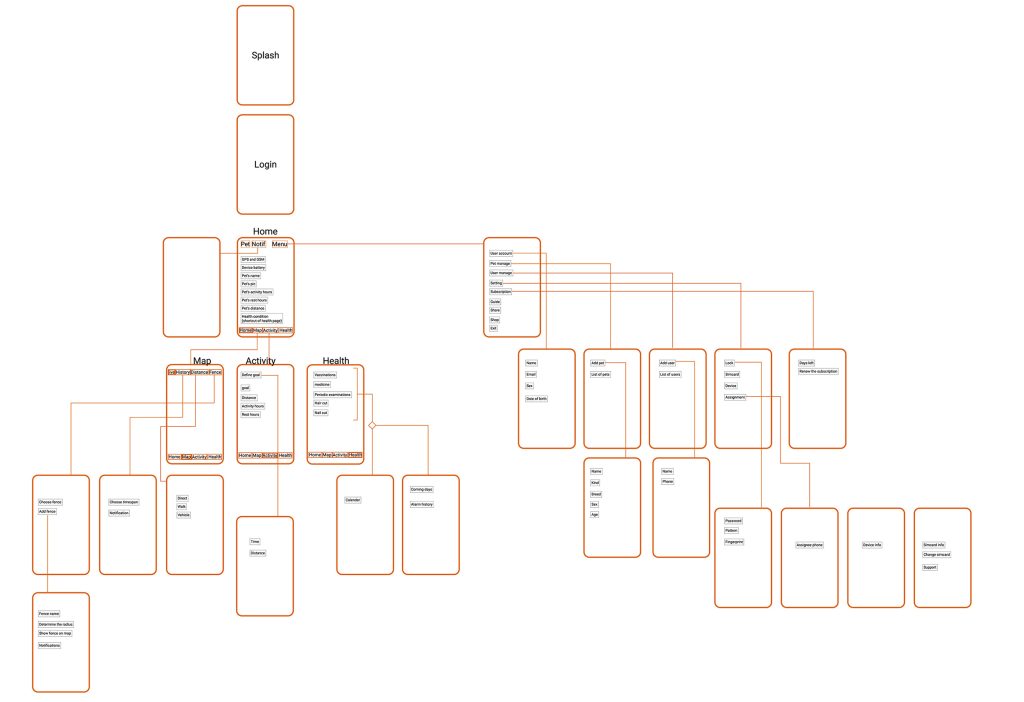
We used the tab bar mobile navigation principle to help users find information and functionality fast as users may interact with the app when their playful pets are around.

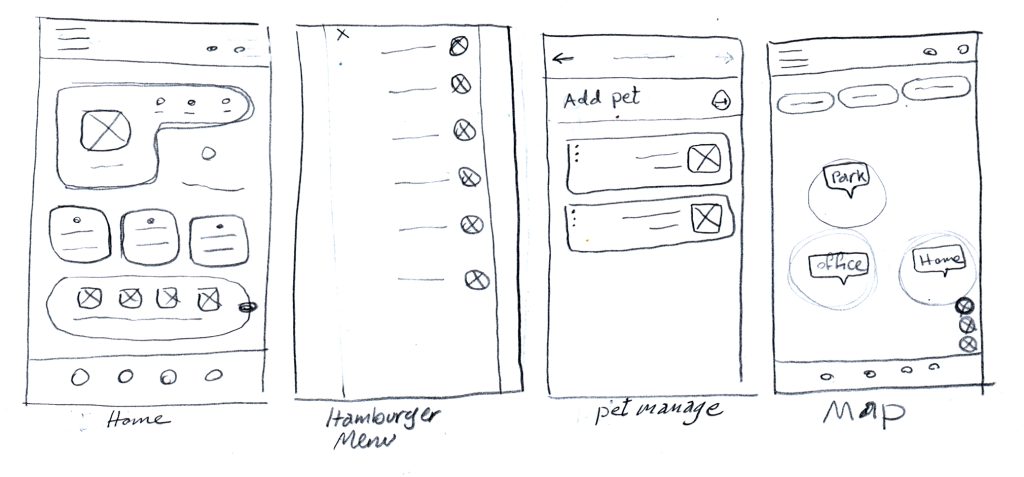
Paper wireframe

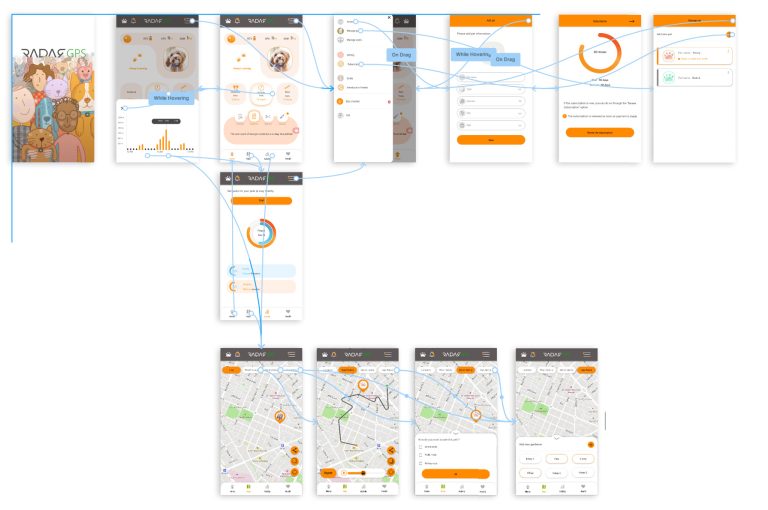
prototype

Usability study_Phase1

We did several moderated usability tests with 6 participants. Some feedbacks are as follows

Home

This is my favorite page in the app. We wanted users to have less stress and bring joy to their experience.

Me to pet

By selecting this page, the pet owner can find their path to the pet by walking, on a vehicle, or in a straight line.

Style guide

We delivered the design to developers, including a project summary, mockups, prototypes, components, a style guide, and user stories. In providing mockups, we used the pixel-perfect method.

Colors

Primary color

Grays

Types

Buttons

Roboto 16 Medium

Menu

Roboto 16 Regular

Text fields

Roboto 14 Regular

Hint

Roboto 14 Regular

Icons

Illustration

Usability study_Phase2

After the original version was completed, we could test the app and tracker gadget with five volunteers and their pets. For this reason, we test the product outdoors, where pet owners might lose their animals, particularly dogs. In this phase, we test the collar, the tracker device, and the app to see how well the user can connect the dots between them. We created a study plan and took some KPIs like TOT, TSR, UER and SUS into account for this test. We created an affinity diagram using user input, responses to the SUS questionnaire, and other KPIs. We conveyed the results and solutions to the stakeholders and developers.

User working with tracker app
User attaching Tracker to pet
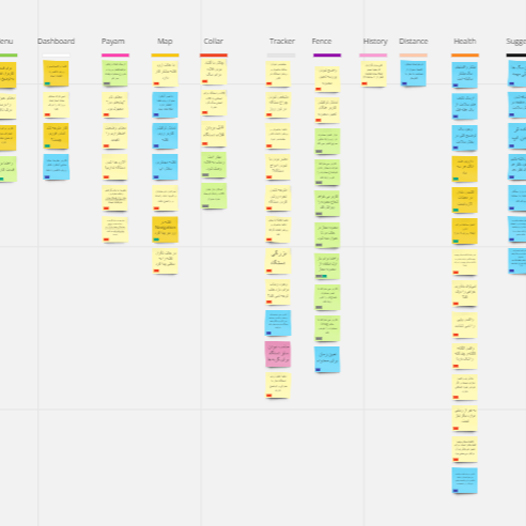
Affinity Diagram

What I learned:

I treasured some of the crucial advice I received for this project. One is how very different working with Smart Services is. The application's direct link to a piece of hardware presents additional difficulties. Since many of the modifications we want to make to the application after conducting the research might not be feasible, we need close and ongoing interaction with the technical team and developers. We ought to be able to prioritize the adjustments that need to be made while we are under time pressure. 

Next steps

Interview

I'm very excited to be able to interview users and find out how they feel about the new app and update

SUS

Measuring usability by sending SUS questionnaire and collect user feedback

Firebase

Using "Firebase" for understanding the user behavior and uncover new insights

Continue your tour...

UX Case Studies

Graphics